How MidSet works
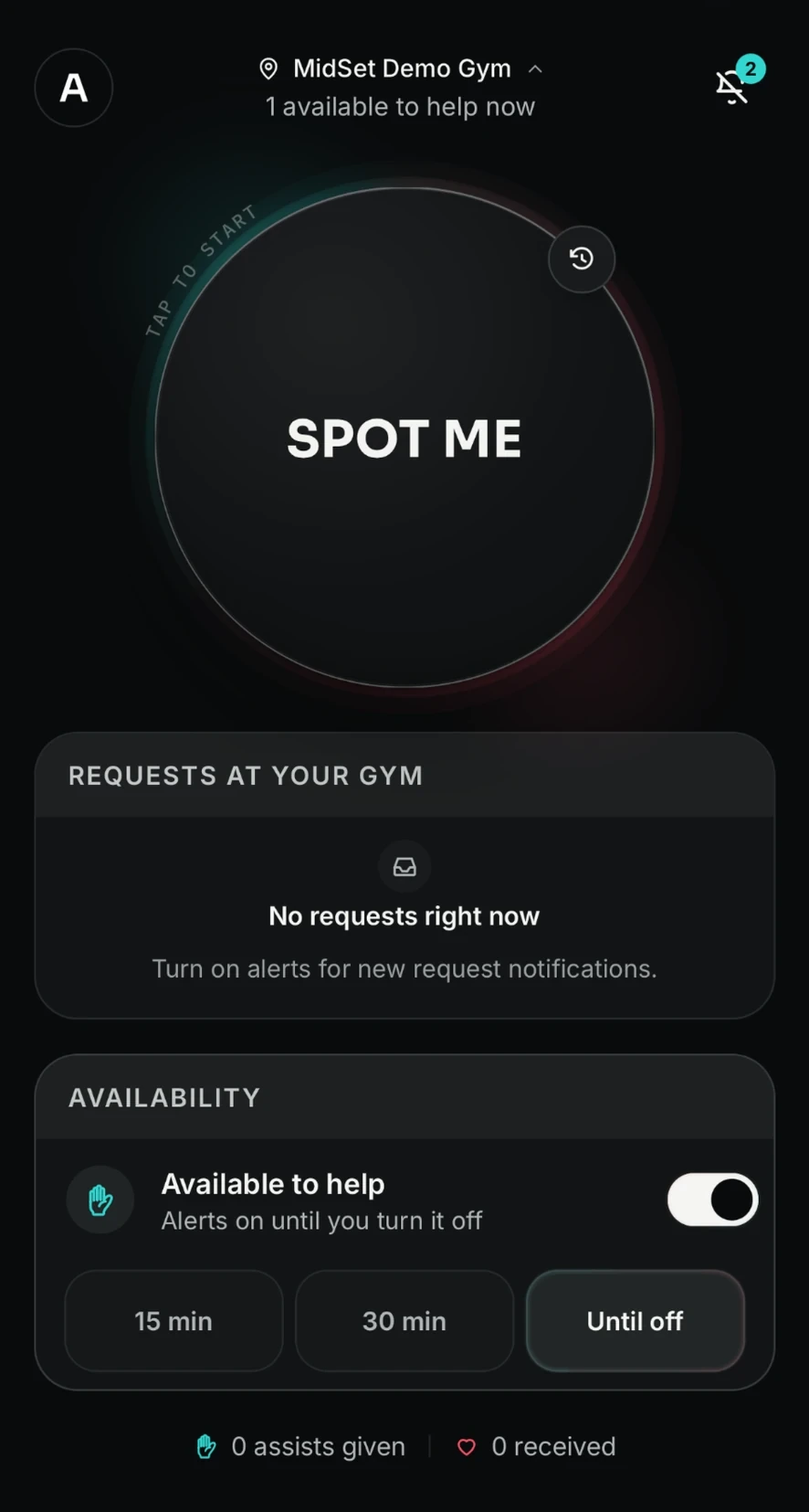
1.Ask for help
Tap SPOT ME to ask eligible members at your gym for a hand. Turn on Availability when you're happy to help others.
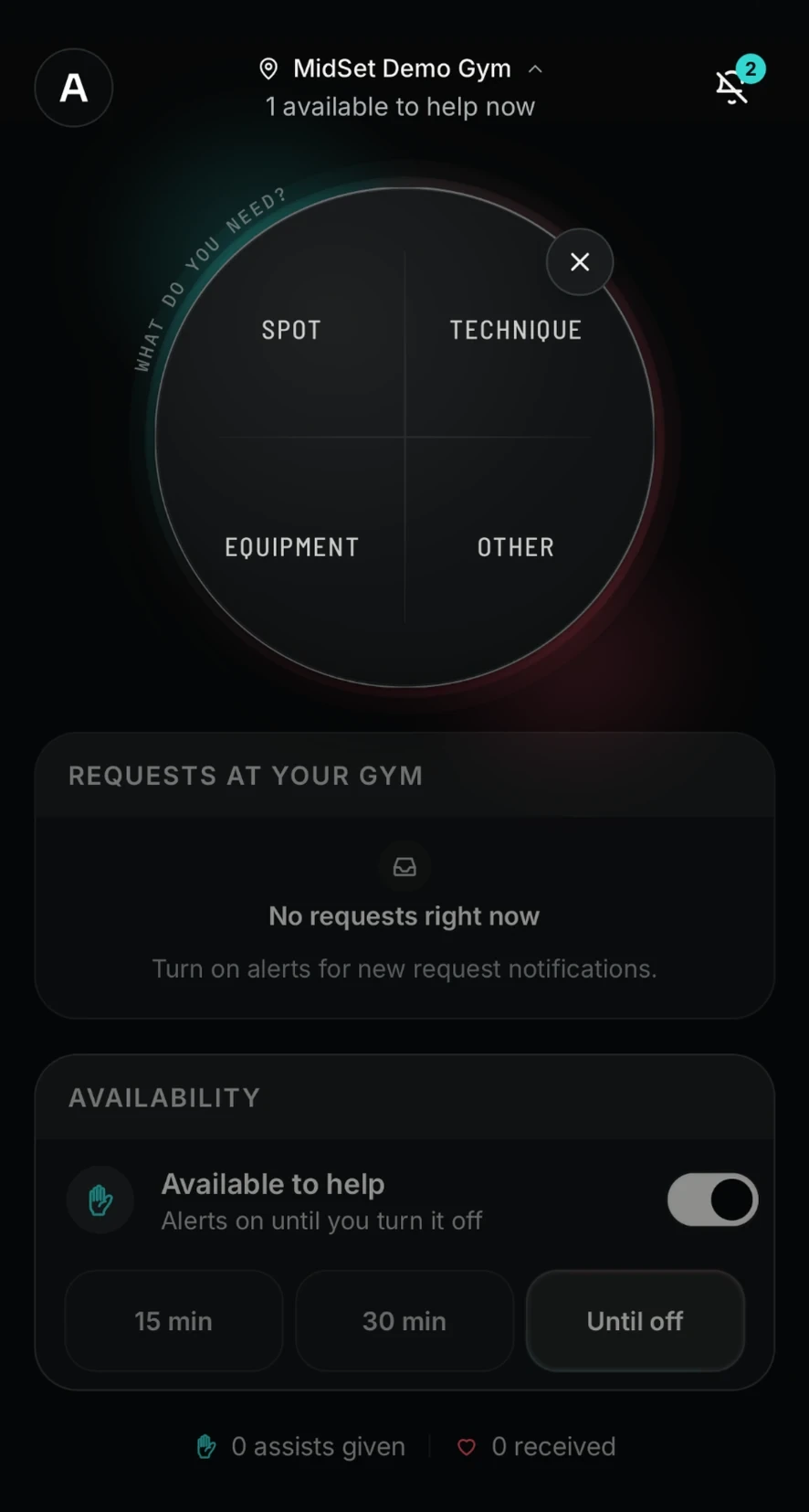
2.Choose what you need
Choose Spot, Technique, Equipment or Other, decide who can help, and send your request.
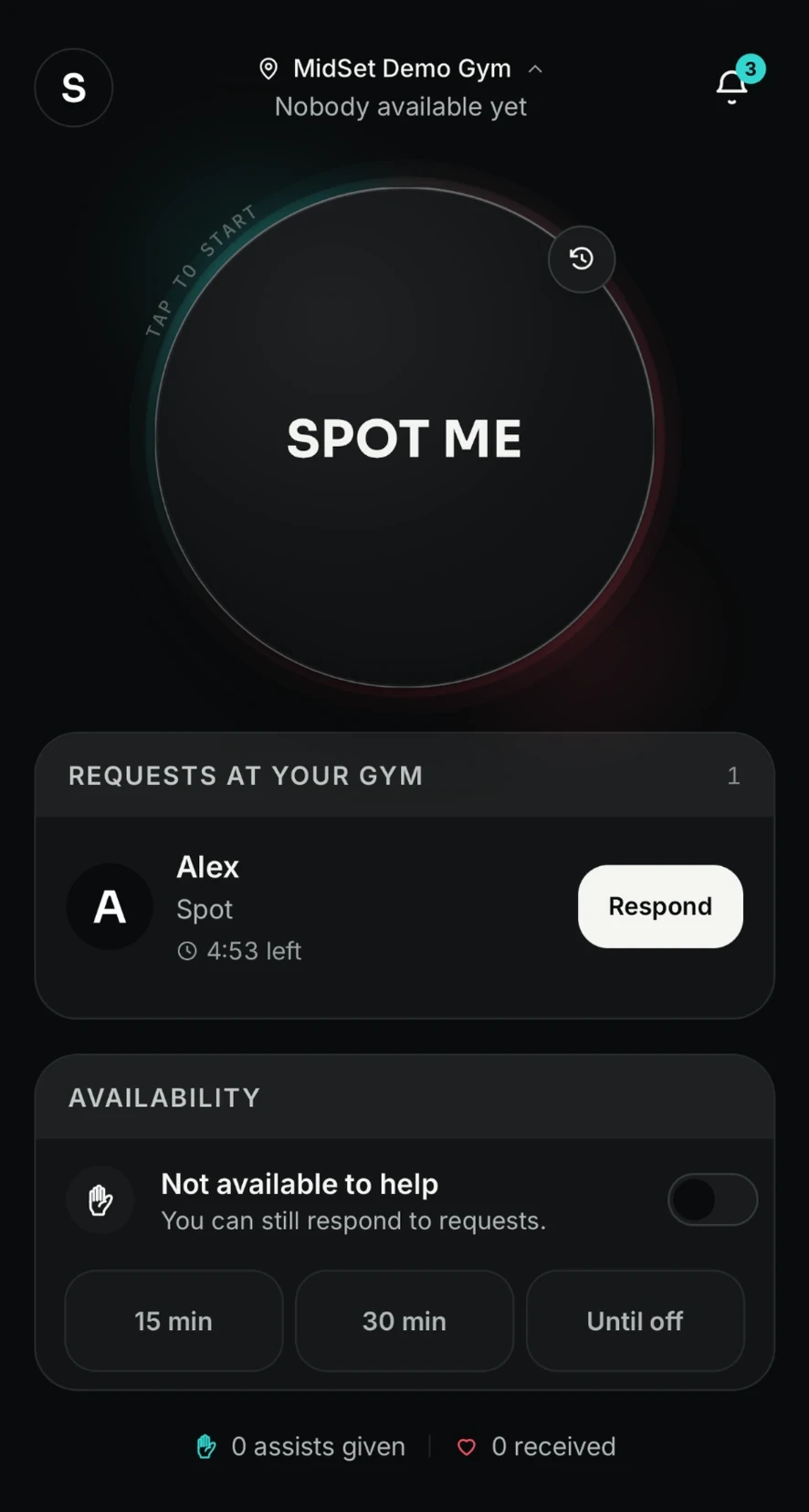
3.Members can respond
Your request appears for eligible members at your gym. Anyone free can tap Respond and come over to help.
What MidSet helps with
SPOT
Get someone to stand by for a working set.
TECHNIQUE
Ask for a quick check on your form or movement.
EQUIPMENT
Get help with plates, machines or adjustments.
OTHER
Ask for another quick bit of gym assistance.
Safety and privacy
You stay in control
Choose who can send or receive requests using your settings.
Same gym only
Requests only reach eligible members at the gym you've selected.
Private by design
Members see your first name and photo. You can block or report at any time.
MidSet helps members connect — it doesn't vet members or supervise training.
Learn more about safetyReady when you need a hand.
MidSet is launching on iPhone and Android.
Coming soon to the App Store and Google Play